
Here's something you've probably noticed: most AI tools are impressive demos that fall flat in actual work.
They don't know your context, they can't access your real data, and they certainly can't be assigned work like an actual team member.
ClickUp Super Agents are different. Launched in December 2024 and strengthened by ClickUp's Codegen acquisition in December 2025, Super Agents are AI-powered teammates that live inside your workspace, understand your projects, remember your preferences, and execute multi-step workflows.
After helping 3,000+ teams implement ClickUp for their operations, we've seen firsthand how agentic AI changes the game for service-based teams.
This is the definitive guide to ClickUp Super Agents. You'll learn what they are, how they work, and how to build your first AI teammate that actually delivers results. Whether you're running a consulting firm, IT team, accounting practice, or marketing agency, this framework applies to you.
What Are ClickUp Super Agents?
ClickUp Super Agents are AI-powered teammates embedded directly inside ClickUp that understand workspace context, retain persistent role-aware memory, and execute multi-step workflows. Unlike chatbots or traditional automations, Super Agents can be assigned work, mentioned in tasks, and operate securely within existing permissions.
Think of ClickUp AI Agents as actual team members who never sleep, never forget, and work within the exact same systems your human team uses. You assign them tasks with @mentions. They create deliverables. They update statuses. They send notifications. The difference? They're powered by AI and can handle the repetitive, context-heavy work that bogs down your real team.
Here's what makes ClickUp's Super Agents fundamentally different from other AI tools:
-
Context awareness - ClickUp Super Agents know your workspace. They understand your tasks, docs, chats, meetings, schedules, dashboards, and connected tools. When you assign a Super Agent to create a client status report, it knows which client, which projects are active, what's overdue, and what format you typically use.
-
Persistent memory - Unlike one-off AI queries that start fresh each time, ClickUp Super Agents remember. They maintain recent memory (what happened this week), preferences memory (how you like reports formatted), and intelligence memory (patterns they've learned about your workflows).
-
True assignability - ClickUp Super Agents appear in your assignee lists. You can @mention them in task comments. You can DM them in ClickUp Chat. They're not hidden behind a settings panel or special interface. They work where your team already works.
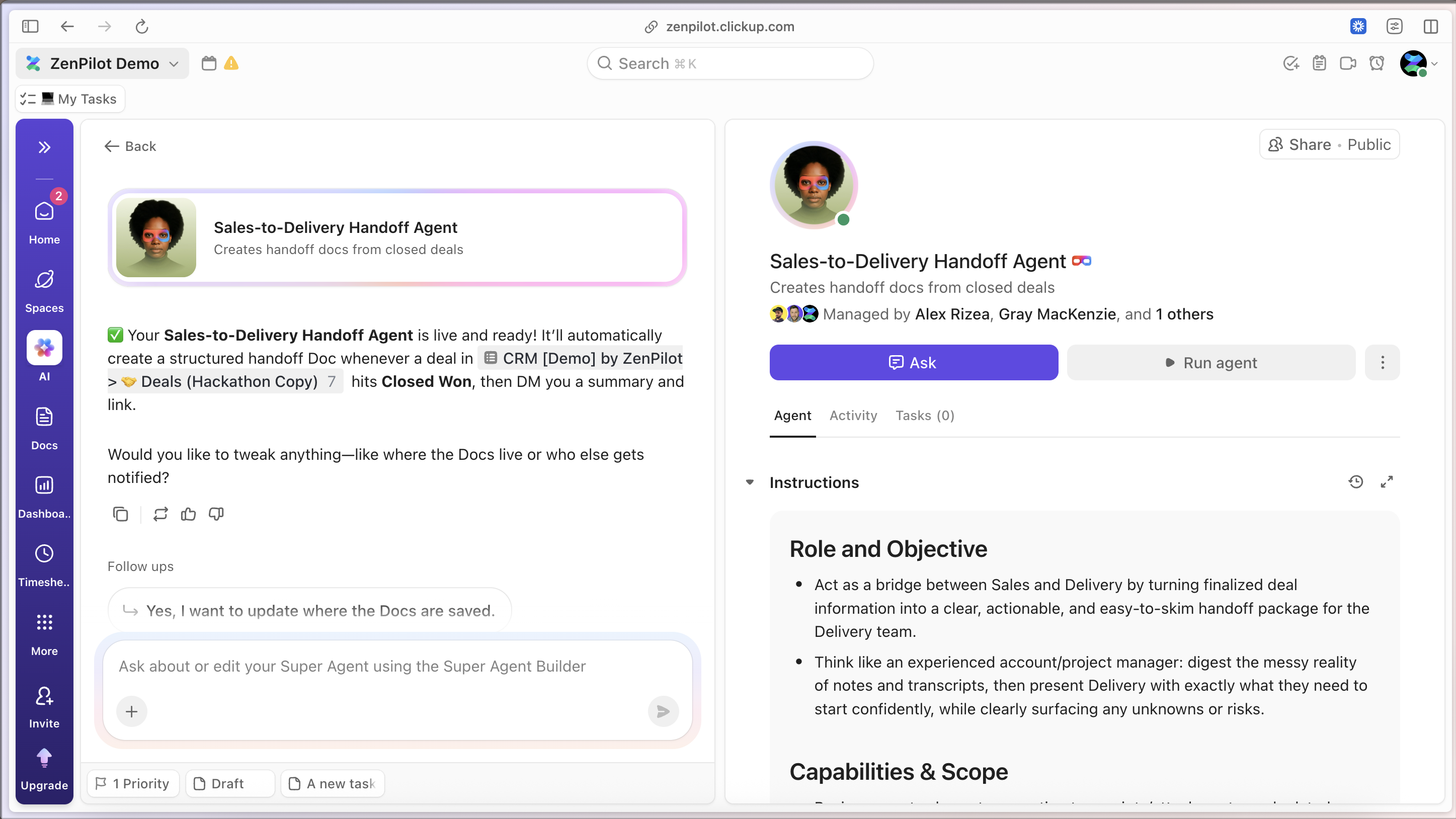
The foundation is ClickUp Brain, the AI layer that powers everything from search to content generation. Super Agents are the execution layer built on top of Brain, turning AI from a helpful assistant into an operational team member.
ClickUp Super Agents vs Autopilot Agents vs Automations
ClickUp offers three distinct ways to automate work. Understanding the differences matters because choosing the wrong tool leads to frustration.
| Feature | Super Agents | Autopilot Agents | Automations |
| Reasoning | Yes (multi-step judgment) | Limited | No |
| Context awareness | Full workspace + memory | Task-scoped | Trigger-based |
| Natural language | Yes | Yes | No |
| Multi-step workflows | Yes | Limited | Sequential only |
| Assignable / @mention | Yes | No | No |
| Best for | Complex judgment & execution | Simple AI actions | Predictable rules |
-
ClickUp Automations are traditional if-then rules. When status changes to "Complete," move the task to the "Done" List. When a due date arrives, send a notification. Automations are perfect for predictable, repeating patterns that never need judgment. They contain zero reasoning or memory. They just follow instructions.
-
Autopilot Agents sit in the middle. They use AI but are scope-limited and rules-bounded. An Autopilot Agent might auto-generate a task description based on the task name, or suggest assignees based on a prompt. They're helpful for specific, contained AI actions but lack the persistent memory and multi-step reasoning of Super Agents.
-
Super Agents are persistent AI teammates. They reason through complex scenarios, maintain memory across interactions, and handle workflows that require judgment. When you ask a Super Agent to "prepare weekly status reports for all active clients," it knows which clients are active, what format you use, where to find project data, and how to structure the output. That's impossible with Automations and out of scope for Autopilot Agents.
The pattern we see in successful ClickUp setups: Automations handle the predictable (status changes, date-based triggers), Autopilot Agents handle simple AI enhancements (suggestions, basic generations), and Super Agents handle the complex judgment work that would otherwise require a human.
Why Traditional AI Tools Fall Short
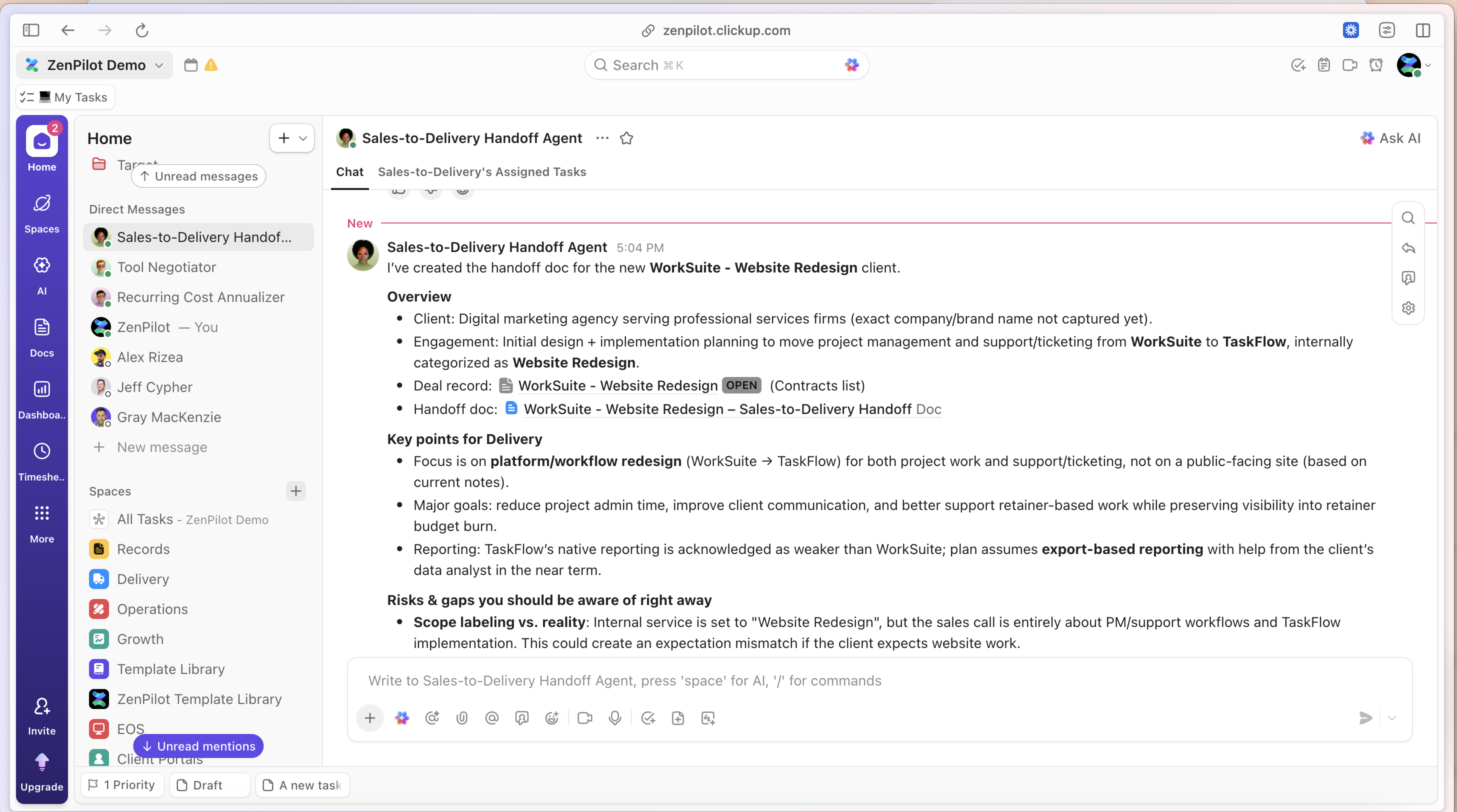
Before Super Agents, teams had two options for AI: standalone tools like ChatGPT or AI features bolted onto existing software. Both fall short for operational work.
The context problem
When you paste a client's project details into ChatGPT, you're manually providing context that should already exist. Every query starts from zero. The AI doesn't know your team structure, your naming conventions, your client history, or your standard processes. You become the integration layer, copying data from your work systems into the AI and back out again.
The disconnection problem
AI tools that live outside your work platform create data silos. You generate a report in ChatGPT, copy it into a ClickUp task, realize you need to update it, copy it back to ChatGPT, edit it, and paste it back again. Every handoff is friction. Every copy-paste is an opportunity for error. Your AI "assistant" creates more work instead of less.
The brittleness problem
Traditional automations break when processes evolve. You hardcode a rule that says "when project type equals 'Website Redesign,' assign to Sarah and set priority to High." Then Sarah leaves. Or you rename your project types. Or priority definitions change. The automation either breaks or keeps running incorrectly because it has no judgment, no understanding of why the rule exists.
The accountability problem
When an AI tool makes a mistake in a standalone chat interface, there's no record. No audit trail. No visibility into what it actually did. For work that matters, for client deliverables and operational decisions, you need systems that track every action.
The permission problem
Most AI tools have binary access: all or nothing. Either the AI can see everything in your workspace or it can't use your data at all. For teams with client confidentiality requirements or role-based security, that's a dealbreaker.
Super Agents solve these problems by living inside ClickUp, inheriting workspace permissions, maintaining persistent memory, and operating with full context. They're not a bolt-on tool. They're built-in teammates.
How ClickUp Super Agents Work
Super Agents operate on five layers: context, memory, triggers, actions, and security. Understanding these layers helps you build effective agents.
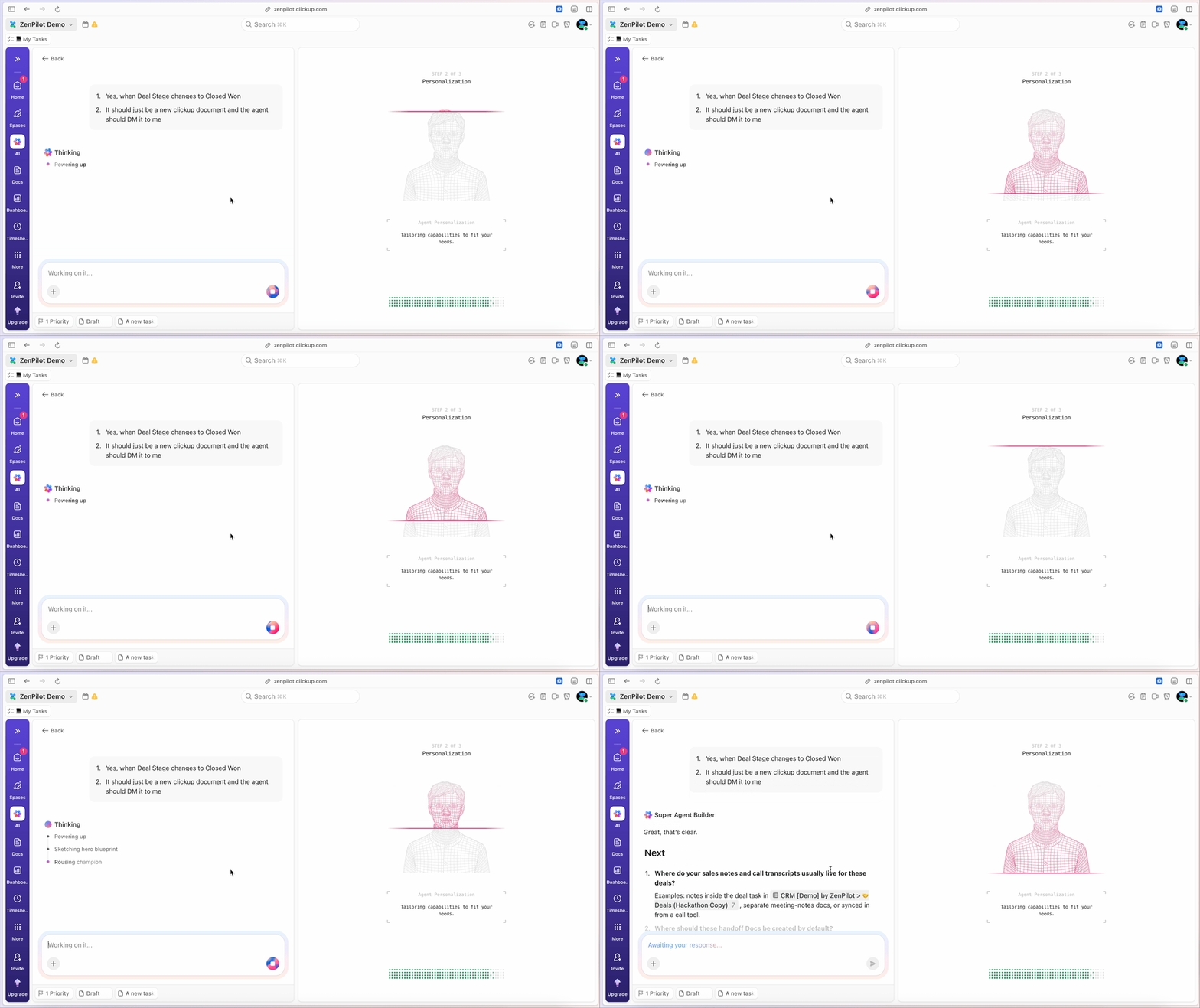
Context Layer
Super Agents see everything in your ClickUp workspace that you grant them permission to see.
This includes:
- Tasks with all custom fields, descriptions, comments, attachments, and relationships
- Docs with full content and document structure
- Chat messages and threads
- Meetings and calendar events
- Dashboards showing real-time workspace data
- Connected tools via integrations (Slack, email, calendars, CRMs)
When you ask a Super Agent to "create a status report," it doesn't need you to explain which project, who's assigned, what's overdue, or what format to use. It sees the same workspace you do.
3 Types of ClickUp Super Agent Memory
-
Recent memory tracks what happened recently in conversations and tasks. When you tell a Super Agent "use the same format as last week," it remembers last week's format.
-
Preferences memory learns how you like things done. Report formatting, communication style, level of detail, tone. After a few interactions, Super Agents adapt to your preferences without explicit instructions every time.
-
Intelligence memory captures patterns. A Super Agent notices that marketing projects typically take 3 weeks, that client X always requests changes on Fridays, or that developer availability drops in December. This pattern recognition improves recommendations over time.
ClickUp Super Agent Triggers
Super Agents activate in three ways:
-
Manual triggers are direct interactions. You assign a Super Agent to a task, @mention it in a comment, or DM it in ClickUp Chat. These are immediate, one-time actions.
-
Scheduled triggers run on a timer. A Super Agent that generates weekly status reports every Friday at 3pm. A digest that summarizes overnight activity each morning. These are recurring, time-based actions.
-
Automated triggers combine ClickUp Automations with Super Agents. When a task moves to "Ready for Review," an Automation can trigger a Super Agent to perform a quality check, generate a summary, or notify stakeholders. These are event-based actions that require AI judgment.
Actions
Super Agents can perform most actions a human team member can perform inside ClickUp:
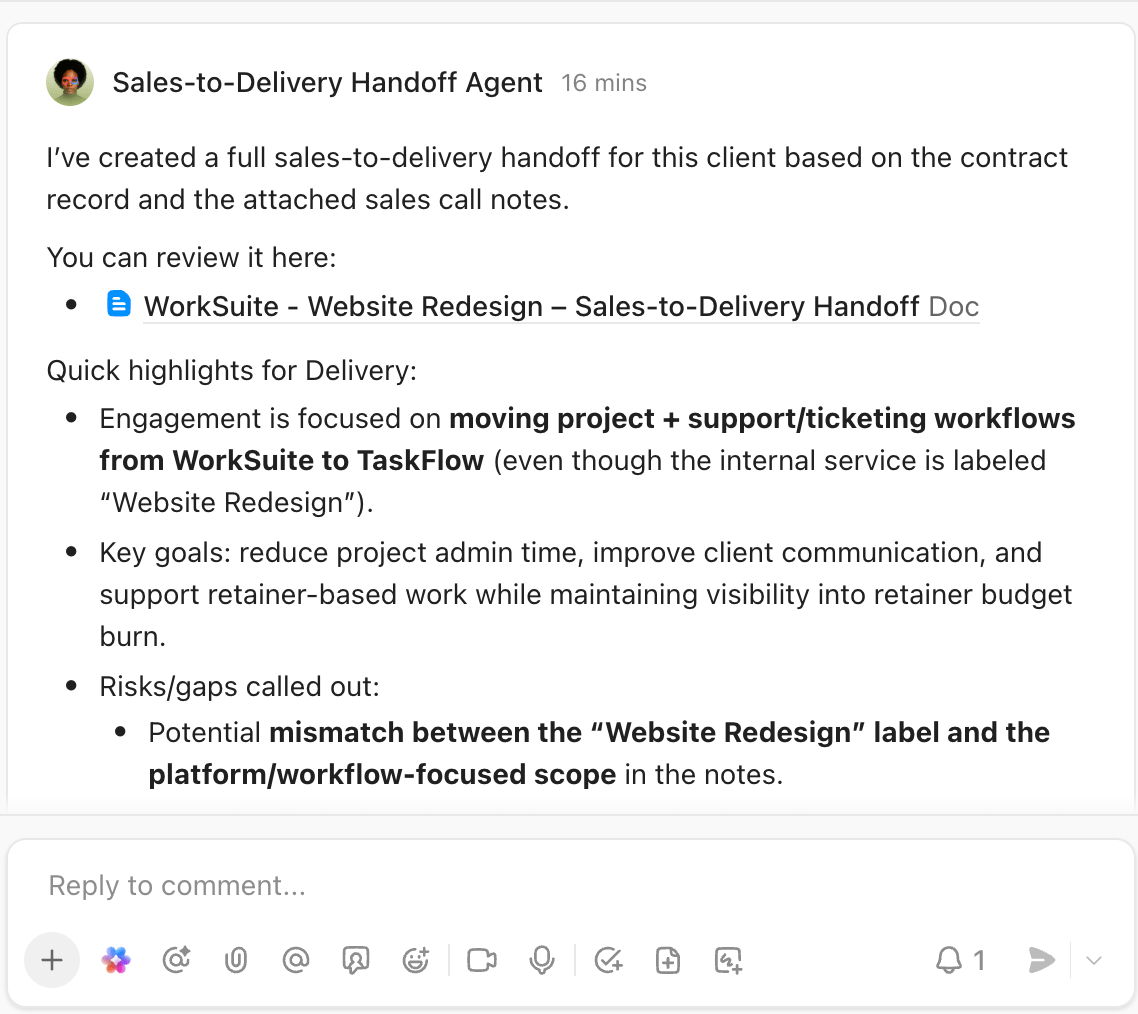
- Create and update tasks (including custom fields, statuses, assignees)
- Generate content in Docs
- Send messages in Chat and comments in tasks
- Send emails to external contacts
- Update custom field values and task priorities
- Set relationships between tasks (custom field relationships are not available right now)
- Move tasks between lists and folders
- Add and remove tags
- Create subtasks and checklists
- Generate reports and summaries
The key difference from ClickUp Automations, Super Agents can chain multiple actions together with conditional logic. A Super Agent doesn't just "move task to Done folder when status changes."
It evaluates whether the task is truly complete (all subtasks done? all required fields filled? client approved?), generates a completion summary, notifies stakeholders, and then moves the task, only if all conditions are actually met.
Security
Every Super Agent inherits ClickUp's permission system. If a team member can't see Client A's tasks, a Super Agent they create can't see those tasks either. If a Space is restricted to specific roles, Super Agents respect those restrictions.
Every action a Super Agent takes is logged in ClickUp's audit trail. Who created the agent, what it did, when it did it, and what triggered the action. For regulated industries or enterprise teams, this audit trail is non-negotiable.
Practical ClickUp Super Agent Use Cases for Growing Teams
The best AI teammates in ClickUp solve specific, repeating problems. Here's what we see working for consulting firms, IT teams, accounting practices, and agencies.
Super Agent Project Management Use Cases
-
Project Intake Agent When a new project task is created, the agent reviews the initial details, identifies missing information (budget? timeline? key stakeholders?), and either auto-populates fields from similar past projects or requests clarification from the project owner. This eliminates the "we started the project but forgot to capture the client's deadline" problem.
-
Project Plan Builder Assign the agent to a new project and it generates a complete task breakdown based on project type. A "Website Redesign" project gets discovery tasks, design tasks, development tasks, and launch tasks with appropriate dependencies, durations, and assignee suggestions based on team workload. A "Financial Audit" project gets completely different task structures.
-
Weekly Status Report Generator Every Friday at 2pm, the agent reviews all active projects, identifies what's complete, what's in progress, what's blocked, and what's upcoming. It generates formatted status reports in Docs, @mentions project managers for review, and prepares them for client delivery.
Super Agent Client Communication Use Cases
-
Client Follow-Up Agent when a task is marked "Waiting on Client" for more than 3 days, the agent drafts a follow-up message in the appropriate tone (friendly reminder, not nagging), includes context about what's needed, and sends it via email or creates a draft for the account manager to review.
-
Client Update Digest every Monday morning, the agent generates a summary of last week's progress for each client, formatted for external sharing. Account managers review, adjust if needed, and send. What used to take 2 hours now takes 15 minutes of review time.
-
Question Router when clients ask questions in ClickUp (via comments or Chat), the agent evaluates whether it can answer directly (questions about project status, timeline, deliverables), routes complex questions to the right team member, and ensures nothing falls through the cracks.
Task Hygiene Use Cases
-
Duplicate Detection Agent scans new tasks and compares them to existing tasks. "Looks like there's already a task for updating Client X's brand guidelines created last week. Should I link these tasks or merge them?" Prevents duplicate work before it starts.
-
Missing Information Agent reviews tasks missing critical fields (no due date, no assignee, no priority, no client association) and either auto-completes them based on context or flags them for human review. Particularly useful after client emails get converted to tasks automatically.
-
Stale Task Cleanup identifies tasks that haven't been updated in 30+ days, are marked "In Progress" but have no recent activity, or are assigned to people who are no longer with the company. Generates a cleanup list for project managers to review monthly.
Knowledge & Documentation Use Cases
-
Internal Q&A Agent team members ask questions like "What's our process for onboarding new clients?" or "Where's the template for quarterly reports?" The agent searches Docs, past tasks, and Chat history to provide answers with source links. Reduces "Does anyone know where..." messages by 60%+.
-
Documentation Generator after completing a complex task or project, assign the agent to "document this process." It reviews the task history, identifies the steps taken, notes decisions made, and creates a draft SOP in Docs for the team to refine.
-
Meeting Notes Agent connect the agent to your calendar integration. After each client meeting, it pulls the recorded transcript (if available), identifies action items, creates tasks for each action item with appropriate assignees and due dates, and generates a meeting summary Doc.
How to Build Your First ClickUp Super Agent
Building a Super Agent takes 10-20 minutes for simple agents, up to an hour for complex multi-step workflows. Here's the exact process.
Requirements
Before you start:
- ClickUp 4.0 with the AI ClickApp enabled in your workspace
- AI plan subscription (Brain AI add-on or Everything AI bundle)
- Appropriate permissions to create agents (typically Workspace Admins or above)
Access the ClickUp AI Hub
Navigate to AI Hub in your ClickUp workspace (look for the AI icon in your sidebar or access via Settings > AI). This is mission control for all your Super Agents. You'll see existing agents, templates, and the option to create new agents.
Choose Your Build Method
ClickUp offers two paths:
-
Natural language builder lets you describe what you want in plain English. "I need an agent that reviews new client tasks and checks if they have all required fields filled out. If not, it should ask the assignee for the missing information." ClickUp's AI generates the initial agent configuration based on your description. This is fastest for simple agents.
-
Manual configuration gives you granular control over every setting. Use this for complex agents with conditional logic, multiple tool integrations, or specific permission requirements.Most teams start with the natural language builder and refine with manual configuration.
Configure the Core Elements
-
Name and description name your agent clearly based on what it does: "Client Task Validator" or "Weekly Status Reporter." The description should explain its purpose for other team members who might see it assigned to tasks.
-
Avatar pick an icon or emoji that makes the agent visually distinct from human team members. Some teams use robot emojis, others use color-coded dots based on agent function.
-
Role and persona define how the agent should behave. "You are a detail-oriented project coordinator who ensures no information falls through the cracks. You're helpful but direct." This shapes the agent's communication style.
-
Triggers. Specify what activates the agent.
-
Tools and integrations select which ClickUp features the agent can use (create tasks, update fields, send messages) and which external integrations it can access (Slack, email, calendar). Start with minimal permissions and expand as needed.
-
Knowledge sources point the agent to relevant Docs, specific Spaces, or past tasks it should reference. A client onboarding agent needs access to your onboarding template Doc. A billing agent needs access to your pricing and contract Docs.
-
Permissions set visibility (who can see this agent?) and sharing (who can trigger it?). Some agents are personal tools, others are team-wide resources.
Test in a Sandbox
Create a test task or test Space specifically for trying out your new agent. Assign it to tasks, @mention it in comments, and verify it behaves as expected. Check:
- Does it have the right context? (Can it see what it needs to see?)
- Does it take the right actions? (Create tasks, update fields, send messages correctly?)
- Is the output quality good? (Clear communication, accurate information?)
- Are permissions working? (Can't access restricted information?)
Iterate Based on Results
Your first version won't be perfect. After testing, refine:
- Prompt adjustments to improve output quality and tone
- Permission tweaks to grant access to additional Spaces or restrict access to sensitive data
- Action refinements to add steps you missed or remove unnecessary actions
- Knowledge source additions to give the agent more context
The agents that work best are built iteratively. Start simple, test with real work, adjust based on results, and expand capabilities over time.
Deploy to Your Team
Once you're confident the agent works reliably:
- Document what it does and when to use it (add this to your team wiki)
- Share it with the appropriate team members or make it workspace-wide
- Show your team how to trigger it (@mention, assignment, etc.)
- Collect feedback for ongoing improvements
- Monitor the audit log to ensure it's performing as expected
ClickUp Super Agent Prompting Best Practices
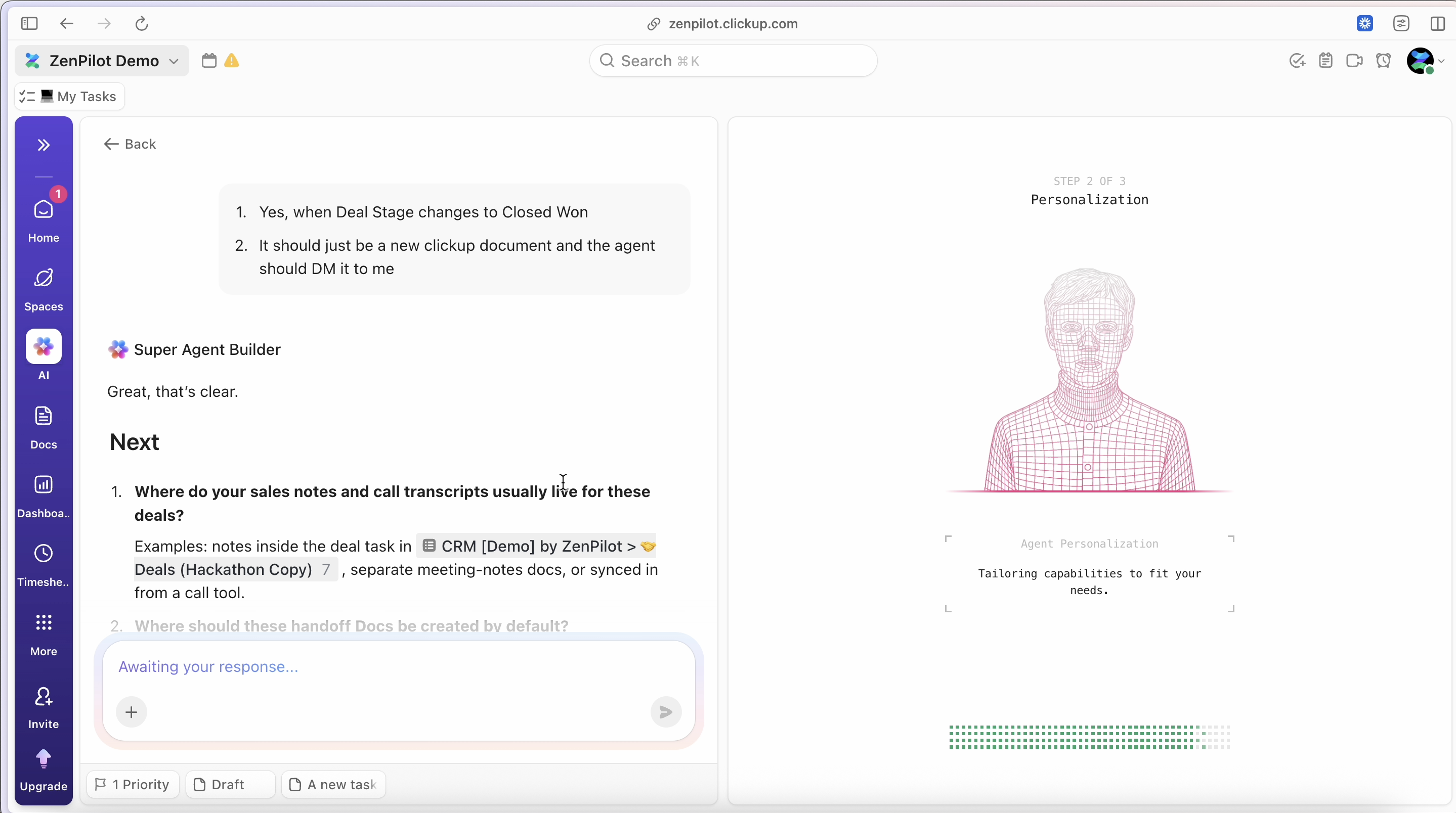
The difference between a mediocre Super Agent and an exceptional one often comes down to the prompt.
These principles come from implementing AI-enhanced workflows for thousands of teams.
Define a Clear Role and Persona
Generic instructions produce generic results. Specific role definitions produce focused behavior.
Bad Super Agent Prompt:
"You are an assistant that helps with tasks."
Good Super Agent Prompt:
"You are a meticulous project coordinator with 10 years of experience at service-based firms. You ensure every project has clear deliverables, timelines, and accountability. You're direct but professional, and you never let details slip through the cracks."The persona shapes how the agent communicates, what it prioritizes, and how it handles edge cases.
Provide Operational Instructions, Not Aspirational Ones
Tell the agent exactly what to do, not what outcome you hope for.
Bad Super Agent Prompt:
"Help the team stay organized."
Good Super Agent Prompt:
"When assigned to a task:
1. Check if the task has a due date, assignee, priority, and client association. 2. If any are missing, post a comment @mentioning the task creator with specific questions about the missing fields.
3. If all required fields are present, add the 'Validated' tag and unassign yourself.
Operational instructions create predictable, measurable behavior.
Specify Tools and Boundaries
Define what the agent can and cannot do.
Example: "You can create tasks, update custom fields, and post comments. You cannot delete tasks, change task assignees (except removing yourself), or send external emails without explicit approval from a human. When uncertain, ask for guidance rather than guessing."Clear boundaries prevent unwanted actions and build team trust in the agent.
Use Structured Outputs
When you need consistent formatting, provide the exact structure.
Here's an example:
Generate weekly status reports in this format:
Project: [Project Name]
Status: [Green/Yellow/Red]
Completed This Week: [Bullet list]
In Progress: [Bullet list]
Blockers: [Bullet list or 'None']
Next Week: [Bullet list] Use Green for on-track, Yellow for minor issues, Red for significant problems or delays. Structured outputs are easier for humans to scan and for downstream systems to process.
Include Cause-and-Effect Logic
Help the agent understand why it's doing something, not just what to do.
Example: "If a task has been 'In Progress' for more than 7 days with no updates, there's likely a blocker or the assignee forgot about it.
Post a comment asking for a status update and offering help with blockers. This prevents stale work from accumulating."Understanding cause-and-effect improves the agent's judgment in edge cases.
Provide Examples
Show the agent what good looks like.
Here's an example:
"When requesting missing information, be specific and helpful Bad: 'This task needs more info' Good: 'Hi @User, I noticed this task is missing a due date. Based on the project timeline, this work needs to be completed by [date from project doc].
Should I set that as the due date, or is there a different target?'Always reference available context to make the ask easier to respond to."Examples calibrate tone, detail level, and helpfulness.
Test Edge Cases in Your Prompt
Consider unusual scenarios and provide guidance.
Here's a good example:
If you encounter a task that appears to be a duplicate of an existing task, ask before merging: 'I found a similar task [link]. Are these the same work or separate efforts?' If uncertain whether information is confidential, err on the side of caution and ask a human.
Edge case handling separates brittle agents from robust ones.
The best prompts are refined over time. Start with clear role + operational instructions + boundaries, deploy the agent, observe how it handles real work, and iterate based on what you learn.
ClickUp Brain: The Foundation Under Super Agents
Super Agents don't exist in isolation. They're built on ClickUp Brain, the AI layer that powers everything from search to content generation across your entire workspace.
ClickUp Brain has three core components:
AI Knowledge Manager
Think of this as your workspace's memory. AI Knowledge Manager indexes every task, Doc, message, comment, and attachment in your workspace. When you search for "What was the budget for the Johnson project?" or "Where did we document our client onboarding process?", Brain searches across everything and surfaces relevant answers with source links.
For Super Agents, AI Knowledge Manager provides the context layer. When an agent needs to know project history, find a template, or reference past decisions, it queries AI Knowledge Manager the same way a human team member would search the workspace.
AI Project Manager
AI Project Manager helps with planning, coordination, and execution. It can generate project plans based on templates, suggest task breakdowns, recommend assignees based on workload and skills, and identify dependencies between tasks.
Super Agents leverage AI Project Manager's capabilities for complex planning tasks. A Super Agent that builds project plans uses AI Project Manager to generate the initial structure, then customizes it based on the specific project's context.
AI Creator
AI Creator generates content: task descriptions, Doc sections, meeting summaries, email drafts, status reports. It understands your workspace context and adapts its writing style based on the content type and audience.
When a Super Agent needs to create written content, it uses AI Creator as the generation engine. The agent provides context and structure, AI Creator produces the draft, and the agent formats it for delivery.
Multi-Model AI Infrastructure
Behind the scenes, ClickUp Brain uses multiple AI models depending on the task. Complex reasoning might use one model, content generation another, and code execution a third. ClickUp abstracts this complexity away. You don't choose models or manage API keys. You define what you want done, and Brain selects the appropriate models.
This multi-model approach matters for Super Agents because different agent tasks require different AI capabilities. A Super Agent analyzing project health needs strong reasoning. A Super Agent drafting client updates needs strong content generation. Brain provides both.Understanding ClickUp Brain helps you build better Super Agents. When configuring knowledge sources, you're pointing the agent to specific parts of AI Knowledge Manager's index. When defining complex workflows, you're leveraging AI Project Manager's coordination capabilities. When generating content, you're using AI Creator's writing engine.
The practical takeaway: Super Agents are powerful because they stand on top of an AI infrastructure that already understands your workspace. They're not starting from zero. They're starting from full context.
ClickUp AI Pricing, Credits, and Super Fair Billing
ClickUp's AI pricing model is usage-based with predictable monthly costs. Here's how it works as of early 2026 (pricing subject to change, verify current rates).
AI Plan Options
-
Brain AI add-on costs approximately $9 per user per month. This includes ClickUp Brain plus access to Super Agents. You get a monthly allotment of AI Super Credits included.
-
Everything AI bundle costs approximately $28 per user per month. This includes everything in Brain AI plus expanded AI capabilities and higher AI Super Credit allowances.Which plan makes sense depends on how heavily you use AI features.
Teams that only use Super Agents occasionally typically start with Brain AI.
Teams building multiple Super Agents that run frequently often need Everything AI's larger credit pool.
AI Super Credits
Super Agents don't cost money when you create them. They cost money when they do work. Each time a Super Agent performs an action (creates a task, generates a report, sends a message), it consumes AI Super Credits.
Current Super Agent cost: $0.001 per AI Super Credit (one-tenth of a cent per credit).
Different actions consume different amounts of credits based on complexity:
- Simple actions (update a field, add a tag): 1-5 credits
- Medium actions (generate a task description, post a comment): 5-20 credits
- Complex actions (generate a full report, analyze multiple tasks): 20-100+ credits
Your monthly AI plan includes a base allotment of credits. Brain AI includes approximately 500-1,000 credits per user per month. Everything AI includes significantly more. When you exhaust your monthly allotment, you can purchase additional credit packs.
The usage-based model means you pay for results, not potential. An inactive Super Agent costs nothing. An active Super Agent only costs money when it's actually working.
Super Fair Billing Policy
ClickUp introduced "Super Fair Billing" to address a problem with AI pricing: AI provider costs fluctuate significantly, and most companies pass those fluctuations directly to customers with little warning.
Here's how Super Fair Billing works:
Cost optimization ClickUp continuously optimizes AI usage to reduce costs. Better prompts, smarter model selection, improved caching. When ClickUp reduces its AI costs, those savings are passed to customers through lower credit consumption rates.
Subsidy buffer If AI provider costs spike suddenly, ClickUp subsidizes the increase rather than immediately passing it to customers. This prevents surprise bills from external AI cost shocks.
Gradual adjustments When pricing needs to change, ClickUp adjusts gradually with advance notice rather than sudden doubling of costs. You'll see pricing change announcements weeks in advance.
Transparent usage alerts. ClickUp shows your credit consumption in real-time and alerts you when approaching 75% and 90% of your monthly allotment. No surprise overages at month-end.For teams implementing Super Agents, this means predictable costs and protection from AI market volatility. You can budget AI as a known monthly expense rather than a variable wild card.
ClickUp AI Cost Management Best Practices
Start small
Build one or two high-impact Super Agents before scaling to dozens. Learn consumption patterns with real usage data before committing to expensive agents.
Monitor usage
Check your credit consumption weekly during the first month. Identify which agents consume the most credits and optimize them if needed.
Schedule strategically
A Super Agent that runs every hour consumes 168x more credits than one that runs daily. Make sure high-frequency agents deliver 168x more value.
Batch work when possible
A Super Agent that generates 10 status reports in one run is more efficient than 10 separate runs generating one report each.
Set usage alerts
Configure notifications at 50%, 75%, and 90% of your monthly credit allotment. This gives you time to adjust before hitting overage charges.The teams we work with typically spend $15-30 per user per month on AI (plan cost + credit overages) once they're actively using Super Agents. That replaces 5-10 hours of manual work per user per month. The ROI is clear.
Security and Governance
Enterprise teams and regulated industries need answers to security questions before deploying AI. Here's what you need to know about Super Agent security.
Data Privacy and Training
ClickUp's AI providers do not train their models on your customer data. When a Super Agent processes your task data, client information, or internal communications, that data is not used to improve the underlying AI models. Your proprietary information stays proprietary.
This is a contractual commitment, not a trust-me promise. ClickUp's agreements with AI providers include explicit data use restrictions.
For teams in regulated industries (healthcare, legal, finance), this is non-negotiable.
Permission Inheritance
Super Agents inherit ClickUp's existing permission system. If a user doesn't have access to a Space, any Super Agent they create doesn't have access either. If a task is restricted to specific roles, the Super Agent respects those restrictions.You control agent permissions at multiple levels:
- Creator permissions limit what the agent can see (the agent can't access anything the creator can't access)
- Sharing settings determine who can trigger the agent
- Space/Folder permissions restrict which parts of the workspace the agent can operate in
- Tool permissions limit which actions the agent can perform
This layered permission model prevents unauthorized access and ensures agents operate within appropriate boundaries.
Audit Logging
Every Super Agent action is logged in ClickUp's audit trail. The log captures:
- Which agent performed the action
- Who created/triggered the agent
- What action was performed (task created, field updated, message sent)
- When the action occurred
- What triggered the action (assignment, @mention, schedule, automation)
For compliance and governance, audit logs are searchable and exportable. If an agent creates an incorrect task or sends an inappropriate message, you have a complete record of what happened and why.
Compliance Standards
ClickUp maintains SOC 2 Type II, GDPR, and HIPAA compliance. Super Agents operate within this compliance framework. For teams in regulated industries:
- SOC 2 validates security controls around data access and processing
- GDPR ensures compliance with European data protection requirements
- HIPAA enables healthcare organizations to use Super Agents with patient data (with proper Business Associate Agreements)
- ISO 42001 (or equivalent AI governance standards) provides frameworks for responsible AI use
These certifications mean ClickUp has undergone third-party audits of security practices, not self-certified compliance.
Enterprise Rollout Best Practices
For organizations with strict security requirements, follow this rollout pattern:
Phase 1: Sandbox (Week 1-2)
Create a test Space restricted to IT and Operations teams. Build Super Agents, test functionality, verify permissions, review audit logs.
Phase 2: Pilot (Week 3-6)
Deploy 1-2 Super Agents to a single team or department. Monitor usage, collect feedback, address security concerns.
Phase 3: Controlled Expansion (Week 7-12)
Roll out proven Super Agents to additional teams. Document use cases, security configurations, and governance policies
Phase 4: Self-Service (Month 4+)
Enable teams to build their own Super Agents within governance guardrails. Provide templates, best practices, and security guidelines.
This staged approach lets security teams validate controls before organization-wide deployment.
What to Document
Maintain documentation for each Super Agent used in production:
- Purpose and scope: What problem does this agent solve?
- Permissions: What can it access and why?
- Trigger conditions: When does it run?
- Data handling: What data does it process?
- Review schedule: When will we review this agent's necessity and configuration?
This documentation supports compliance audits and ensures agents don't become "zombie processes" that run indefinitely without oversight.
Common Mistakes to Avoid
After helping thousands of teams implement ClickUp automation and integrations, we've seen the same Super Agent mistakes repeated. Here's how to avoid them.
Granting Too Much Autonomy Too Early
Teams build a Super Agent, give it full workspace access, and let it run unsupervised. The agent makes decisions that technically follow its instructions but miss important context only humans understand.
Instead: Start with supervised mode. Configure the agent to draft actions and request approval rather than executing immediately. After you're confident in its judgment (typically 2-4 weeks of supervised operation), grant full autonomy.
Example: A client communication agent should draft messages for human review before sending externally. Once you trust its tone and accuracy, enable auto-send for routine updates while keeping complex communications human-reviewed.
Skipping Sandbox Testing
Teams build an agent and immediately deploy it to production tasks. The first time it runs is on real client work. When something goes wrong, client deliverables are affected.
Instead: Create a test Space with sample tasks mirroring your production structure. Test every agent thoroughly in the sandbox before deploying to real work.
Test: Create tasks representing normal cases, edge cases, and error scenarios. Trigger the agent. Verify it behaves correctly. Review its outputs. Check the audit log.
Vague Prompts
Generic instructions produce unpredictable results. "Help with project management" could mean anything. The agent guesses at what you want and guesses wrong 40% of the time.
Instead: Write specific, operational instructions with clear boundaries and examples. See the Prompting Best Practices section for detailed guidance.
If you can't predict exactly what the agent will do in a given scenario, your prompt is too vague.
Misconfigured Permissions
The problem: An agent can't access the data it needs (and fails silently), or it has access to sensitive data it shouldn't see (and creates security risks).
Instead: Document what data each agent needs access to and why. Configure permissions to grant minimum necessary access. Test permission boundaries explicitly (can the agent see what it should? is it blocked from what it shouldn't?).
If you grant a Super Agent Workspace Admin permissions "just to be safe," you've misconfigured permissions.
Expecting Super Agents to Replace Human Judgment
Teams build a Super Agent to handle complex strategic decisions that require nuanced judgment, client relationship knowledge, or creative problem-solving. The agent produces technically correct but contextually inappropriate outputs.
Instead: Use Super Agents for operational execution and information synthesis. Keep strategic decisions, client relationship management, and creative work human-driven. Agents amplify human judgment, they don't replace it.
If a decision requires "reading between the lines," "knowing the client's real priorities," or "considering political dynamics," keep it human.
Ignoring Audit Logs
Teams deploy Super Agents and never review what they're actually doing. Agents develop unexpected behaviors over time (due to changing workspace patterns or drift in AI model behavior). Problems compound until someone notices.
Instead: Review agent activity weekly for the first month, then monthly ongoing. Check: Are agents performing expected actions? Are outputs quality-consistent? Are there edge cases the agent handles poorly?
Add "Review Super Agent audit logs" as a recurring task for your operations lead.
Building Too Many Agents Too Fast
Teams get excited and build 15 Super Agents in the first week. They don't document what each does, they don't test thoroughly, and they can't maintain them all. Six weeks later, no one remembers which agents do what.
Instead: Build 2-3 high-impact agents. Deploy them. Refine them. Document them. Then build the next batch. Sustainable AI adoption is incremental, not big-bang.
Rule of thumb, Don't build your fourth Super Agent until your first three are running reliably in production.
No Change Management
Operations teams build Super Agents and deploy them to the wider team without explanation. Team members are confused when an AI starts commenting on their tasks or sending them messages. Adoption fails because people don't understand what's happening.
Instead: Treat Super Agent deployment like any other process change. Announce it. Explain what the agent does and why. Show team members how to trigger it. Collect feedback. Iterate based on usage.
Your First Week With Super Agents
Here's a realistic timeline for implementing your first Super Agent, from idea to production deployment.
Days 1-2: Identify Your Target Workflow
Don't start by asking "What can Super Agents do?" Start by asking "What work bogs down our team that shouldn't require human judgment?"Look for workflows that are:
- Repeating frequently (daily or weekly, not quarterly)
- Context-heavy (require looking up information across tasks, Docs, or systems)
- Predictable in structure (follow consistent patterns 80%+ of the time)
- Low-stakes (mistakes are fixable without client impact)
Examples that work well:
- Task validation and missing information requests
- Weekly status report generation
- New project setup and task breakdown
- Internal Q&A and knowledge retrieval
- Meeting notes and action item extraction
Examples that don't work well for first agents:
- Complex client-facing decisions
- Creative content generation requiring brand nuance
- Workflows with high exception rates
- Strategic planning or resource allocation
Output: One clearly defined workflow that you'll build an agent for. Write down: What triggers the workflow? What steps does it involve? What's the desired output?
Days 3-4: Build and Test in Sandbox
Create your agent using the configuration process outlined earlier. Start with a narrow scope. A Super Agent that does one thing well is better than one that does five things poorly. Build it, then test it extensively:
- Normal cases: Does it handle typical scenarios correctly?
- Edge cases: What happens when data is missing or unusual?
- Error cases: How does it behave when something goes wrong?
- Permission boundaries: Can it access what it needs? Is it blocked from what it shouldn't?
Output: A working Super Agent that handles 80%+ of test cases correctly. Document the 20% of cases where it needs improvement.
Days 5-7: Refine, Document, Deploy
Based on testing, refine your agent's prompt, permissions, and configuration. Focus on the failure cases from Day 4. Can you improve the prompt to handle edge cases better? Do you need to adjust permissions or knowledge sources?Document what the agent does:
- Name and purpose: "Task Validator - ensures new tasks have required fields"
- When to use it: "Automatically assigned to all new tasks in the Projects Space"
- What it does: "Checks for due date, assignee, priority, client. Requests missing info via comment."
- Who to contact: "Questions about this agent? DM Sarah in Operations."
Deploy to production in a limited scope first. One team, one Space, one project type. Monitor closely for the first week.
Output: One Super Agent running in production with clear documentation and monitoring plan.
Week 2 and Beyond: Iterate and Expand
Review the agent's performance after one week:
- What % of tasks did it handle successfully?
- Were there unexpected behaviors?
- What feedback did team members provide?
- What improvements would increase success rate?
Make refinements based on real-world usage. After 2-3 weeks of successful operation, consider:
- Expanding to additional Spaces or teams
- Building your second Super Agent for a different workflow
- Increasing autonomy (if it started in supervised mode)
The timeline isn't about speed. It's about building confidence incrementally. Teams that rush through this process end up with unreliable agents that erode trust in AI. Teams that follow this progression build a foundation for dozens of reliable agents over time.
FAQs
What are ClickUp Super Agents?
ClickUp Super Agents are AI-powered teammates that live inside your ClickUp workspace, maintain persistent memory, understand full workspace context, and execute multi-step workflows.
Unlike chatbots or automations, Super Agents can be assigned to tasks, @mentioned in comments, and operate with the same permissions as human team members.
How much do ClickUp Super Agents cost?
Super Agents require a ClickUp AI plan (Brain AI at approximately $9/user/month or Everything AI at approximately $28/user/month as of early 2026). The agents themselves cost $0.001 per AI Super Credit consumed. Your monthly plan includes a base allotment of credits, and additional credits can be purchased when needed.
Pricing is usage-based, meaning you only pay when agents actually perform work.
What's the difference between Super Agents and AI Autopilot Agents?
Super Agents are persistent AI teammates with full workspace context, multi-step reasoning, and role-aware memory. They can be assigned to tasks and @mentioned. Autopilot Agents are scope-limited AI actions that perform simple, contained tasks within a specific context (like auto-generating a task description).
Super Agents handle complex workflows requiring judgment across multiple tasks or systems. Autopilot Agents handle simple AI enhancements to individual tasks.
Can Super Agents access external tools outside ClickUp?
Yes, Super Agents can access external tools that are integrated with ClickUp. This includes Slack, email, calendars, CRMs, and other connected systems. You configure which integrations each agent can use when building the agent. The agent can read data from these tools, send messages, create records, and perform other actions within the permissions of the integration.
Are Super Agents secure for enterprise use?
Yes, Super Agents maintain enterprise-grade security. They inherit ClickUp's permission system (can't access data the creator can't access), operate within SOC 2, GDPR, and HIPAA compliance frameworks, log every action in an auditable trail, and use AI providers that contractually don't train on customer data. Organizations in regulated industries successfully use Super Agents with proper governance and configuration.
Can I control what a Super Agent can and cannot do?
Yes, you have granular control over agent capabilities. You define which ClickUp features it can use (create tasks, update fields, send messages), which integrations it can access, which Spaces or Folders it can operate in, and who can trigger the agent. You can require human approval before certain actions or limit the agent to drafting outputs for review rather than executing autonomously.
What happens if a Super Agent makes a mistake?
Every Super Agent action is logged in ClickUp's audit trail with full context (what action, when, who triggered it, what prompted it). Mistakes can be identified, reviewed, and corrected. You can adjust the agent's configuration to prevent similar errors, add human review requirements for risky actions, or revert changes the agent made. Starting agents in supervised mode (draft for approval) rather than fully autonomous mode minimizes the impact of mistakes during the learning phase.
Ready to Build Your AI-Powered Team?
You now understand what ClickUp Super Agents are, how they work, and how to implement them effectively. The framework is clear. The use cases are proven. The ROI is measurable. After 3,000+ ClickUp implementations and years of building process documentation and automation for service-based teams, we know which Super Agents deliver ROI and which create complexity without value.
We'll review your workflows, identify high-impact Super Agent opportunities, and create an implementation roadmap tailored to your team. Book your strategy call.
The future of work isn't human vs AI. It's humans amplified by AI teammates that handle the operational overhead while your team focuses on judgment, creativity, and client relationships. Super Agents make that future available today.