ClickUp vs Asana: Comparison and Results from 3,100+ Clients

ClickUp and Asana are two of the fastest-growing project management solutions currently available. That said, the user experience between the platforms couldn’t be more different.
To help you find the right software for your needs, we’ll compare the features, pricing, and unique benefits that each option offers.
We’ll also factor in some of the insights and challenges that we’ve seen at ZenPilot - ClickUp’s #1 rated Solutions Partner - in our time helping over 3,100 clients get their operations streamlined in ClickUp.
Here’s how they stack up.
What is ClickUp?
ClickUp is an all-in-one suite that helps teams manage tasks, create reports, and collaborate on documents by editing with other team members in real-time. ClickUp also has team chat and whiteboard capabilities.
What is Asana?
Asana’s web and mobile apps help teams organize, track, and manage their entire workflow. The platform lets you track the progress of projects, assign individual tasks, plan sprints, and use third-party integrations to unify your management tool stack.
Key Takeaways
- ClickUp offers more features for less money. ClickUp’s paid plans start at $7/user/month vs Asana’s $10.99/user/month - and ClickUp includes native time tracking, workload management, and 1,000+ integrations at every paid tier.
- Asana is easier to set up out of the box. If your team needs a polished, low-friction tool with a gentle learning curve, Asana has the edge. But that simplicity comes with less customization.
- ClickUp wins for operational complexity. Its deeper hierarchy, custom views, and built-in chat make it the stronger choice for agencies, professional services teams, and organizations managing multiple clients or departments.
- ClickUp Brain offers more transparent AI pricing. At $9/user/month with multi-model access, ClickUp’s AI is a known cost. Asana’s AI Teammates require contacting sales for opaque credit-based pricing.
How Do ClickUp and Asana Compare?
Features
Both ClickUp and Asana have enough features to warrant their own respective articles. That said, here are a few of the most commonly used features to help you gauge which areas of project management each platform focuses on!
Top ClickUp features:
- Task management
- Recurring tasks
- Time tracking
- Dependencies
- Whiteboards
- Real-time team chat
- Custom views
- Custom fields
- Chrome extension
- Reporting and workload management
- Mobile apps (iOS and Android)
- Integrations and automations
Top Asana features:
- Task management
- Recurring tasks
- Advanced search
- Video responses on tasks
- Color-coded project icons
- Dependencies
- Mobile apps (iOS and Android)
- Chrome extension
Winner: the features category is a tie since there are too many features to compare and it all comes down to how customizable you’d like these features to be.
Views
Depending on which plan you go for, ClickUp lets you use Kanban, Gantt, Form, and Timeline views to visualize the progress of every project. You can also have different default views set for separate areas on your workspace.
This can be a lifesaver if you have multiple departments working under the same ClickUp workspace. The marketing team might work best with Kanban boards but your operations personnel may prefer a Gantt chart. With ClickUp, you don’t have to choose between the two.
Of course, Asana has its fair share of views as well. List, Board, and Calendar view are the most commonly used as these are the three views available on the Personal (free) tier. However, you can unlock Gantt charts by upgrading to the Starter plan.
The Starter plan also includes the Milestones feature which can help you view project progress from the perspective of major accomplishments being completed. Finally, Asana users in the Advanced tier can use the portfolio view for high-level monitoring of all active projects.
Winner: ClickUp wins since it has more views for less money and also lets you customize your views or even create personal view settings that only you can use.
Team Communication
ClickUp has a chat view with real-time channels that feels quite similar to Slack. If most of your team is already on ClickUp then it’ll be a lot easier to reach them since you can just @mention any user on your workspace from the chat view.
One unique benefit that you won’t find with most other team chats is ClickUp’s Slash Commands. These help you format and manage messages a lot faster than the Asana interface. It truly feels like writing with Notion but inside Slack’s UI.
Asana, on the other hand, takes a feedback-based approach to team communication. This means your messages will consist of comments left on a task rather than real-time conversations.
There are pros and cons to this approach. The benefit is that it’s a lot easier to keep track of important information without reading through the backlog. However, it can be difficult to create a collaborative team culture when you don’t have a real-time means of sharing ideas.
Winner: ClickUp takes the win for team communication since it essentially has its own native mini-Slack built into the platform.
Integrations
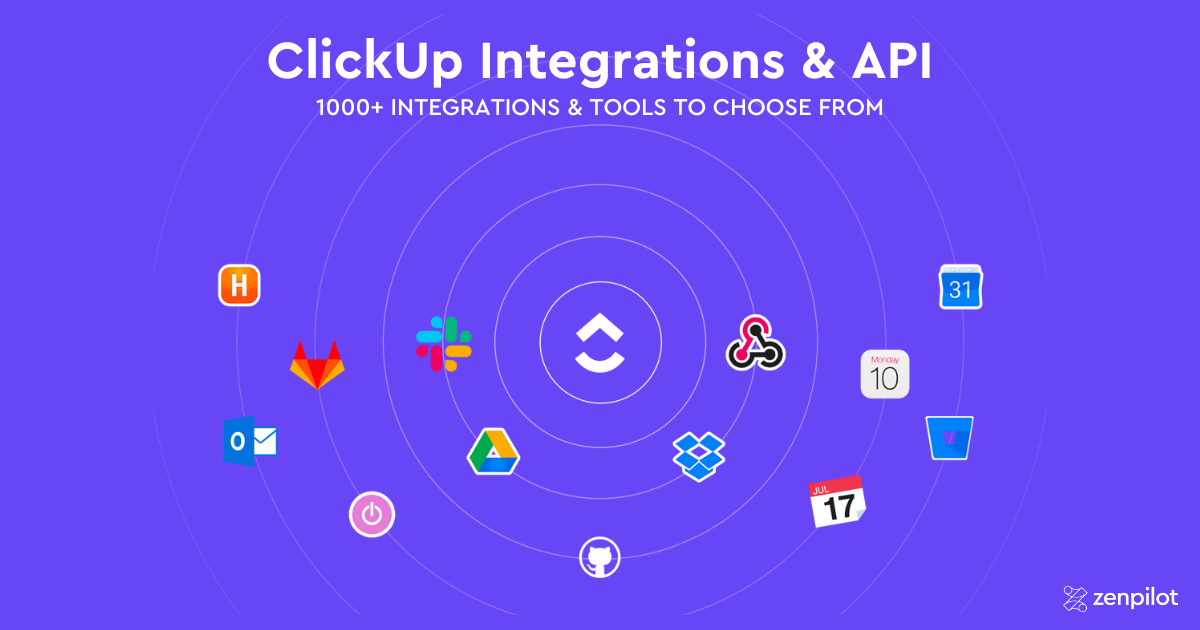
ClickUp offers over 1,000 native integrations, so odds are good it already connects to the tools you use. The most popular apps that people use with ClickUp include Microsoft Teams, Google Calendar, Google Drive, Slack, Zoom, and Miro.
About 80% of ZenPilot clients use ClickUp’s native time tracking, but you can also use third-party time tracking tools like Everhour, Harvest, Timeneye, Timely, TimeCamp, Time Doctor, TMetric, and Toggl if you’re not satisfied with the native time tracking capabilities of ClickUp.
It’s worth noting that ClickUp also has a public API that lets you build custom integrations and ClickUp apps. Alternatively, you could use Zapier and Make to expand beyond the existing native integrations.
Asana has its fair share of handy integrations as well with popular apps like Slack, Hubstaff, Salesforce, and Cliq all being compatible with the platform. Cliq is a particularly notable integration since it could alleviate some of Asana’s real-time communication shortcomings.
Asana also has a full public REST API and developer platform, so custom integrations are on the table with either tool. The practical difference is how often you need them: ClickUp’s native gallery is several times larger, which means fewer workflows require custom builds or middleware in the first place.
Winner: ClickUp’s gallery of over 1,000 native integrations scores it the win. Both platforms have solid public APIs, but with ClickUp you’ll write fewer custom integrations because more of them already exist - and Zapier and Make cover most of the rest.
Ease of Use
If you’re just using the basic features of ClickUp then it’s actually easier to use than most people might think. The main thing that you should familiarize yourself with immediately is the task hierarchy since that’s the one thing that most beginners get tripped up on.
Once you have that down, using ClickUp can feel rather similar to other project management software - just with more flex, for better or worse.
The good news is that ClickUp also has detailed tutorials for everything from getting started to using advanced features.
If you’re an agency or professional services team, be sure to see this webinar on ClickUp for agencies.
Asana, being a ready-out-of-the-box type of solution, has a noticeably gentler learning curve. It doesn’t have nearly as much customization in terms of optimizing your workflow or automating certain processes but this simplicity can make the tool easier to use for new customers.
There are still a few pitfalls to be aware of though. For instance, it’s really easy to set your notification preferences in such a way that you get spammed with emails. In any case, it’s definitely a good idea to go through a course or two on the Asana Academy.
Winner: Asana takes the win in the ease of use category since it’s a lot quicker to set up and the learning curve isn’t as steep as ClickUp.
Download the Complete ClickUp for Agencies Guide
The 47-page guide includes graphics, checklists, and links to how-to videos so you can actionize your ClickUp plan.
Get Instant Access →ClickUp vs Asana: Pricing
ClickUp Pricing
ClickUp’s free plan has quite a lot to offer. You get 100 MB worth of cloud storage, most of the core collaboration features, and the ability to add as many members to your workspace as you need.
Still, there are plenty of compelling reasons why you should upgrade. The Unlimited tier offers unlimited storage, unlimited integrations, and agile reporting capabilities all for just $7/month for each user (if you bill annually.)
The Business tier is a bit pricier at $12/month billed annually or $16/month billed monthly but it does have a few unique benefits that could be useful to larger organizations - such as Google SSO, advanced automations, advanced time tracking, and workload management!
Overall, it’s clear that the ClickUp team has put a lot of thought into its pricing structure to ensure that every tier delivers a lot of value to the customer. To get a feel for the Business Plus and Enterprise tiers or just visualize the differences between each tier, here’s a summary table:
| ClickUp Plans | Free | Unlimited | Business | Business Plus | Enterprise |
|---|---|---|---|---|---|
| ClickUp Pricing | Free | $7/month/user | $12/month/user | $19/month/user | Custom pricing |
| Customer Support | 24/7 Support | 24/7 Support | 24/7 Support | 24/7 Priority Support | Dedicated Success Manager |
| Storage Capacity | 100 MB | Unlimited | Unlimited | Unlimited | Unlimited |
| Top Features | Native Time Tracking | Guest Users | Advanced Automations | Custom Permissions | Single Sign-On |
Pricing verified as of July 2026.
Asana Pricing
Much like ClickUp, Asana also has a freemium plan. However, there a few key differences. First of all, you get unlimited storage as long as none of your files are larger than 100 MB. However, you’ll only be able to collaborate with a limited number of team members unlike ClickUp’s uncapped free plan.
The Enterprise plans of Asana are quote-based and can flex depending on the customer’s needs, but here’s a summary table to help you visualize the base plans on offer:
| Asana Plans | Personal | Starter | Advanced | Enterprise |
|---|---|---|---|---|
| Asana Pricing | Free | $10.99/month/user | $24.99/month/user | Custom pricing |
| Customer Support | Email Support* | Email Support* | Email Support* | Priority Support |
| Storage Capacity | Unlimited (100 MB per file) | Unlimited (100 MB per file) | Unlimited (100 MB per file) | Unlimited (100 MB per file) |
| Top Features | 100+ integrations | Workflow Builder | Workload | SAML, SCIM |
*24/7 priority support is available for Asana Enterprise customers
Pricing verified as of July 2026.
ClickUp vs Asana: AI Features
Every PM comparison in 2026 comes down to AI at some point. Both platforms have invested heavily - here’s how they compare.
Asana Intelligence includes Smart Summaries (project and portfolio summaries), AI Studio (no-code AI workflow builder), and AI Teammates (AI agents you assign work to alongside humans). AI Teammates can handle risk prediction, generate portfolio reports, and manage structured workflows like marketing campaigns and IT ticketing. The catch: basic AI summaries are included on paid plans, but AI Teammates are restricted to AI Studio Pro customers - an add-on with credit-based pricing that requires contacting sales.
ClickUp Brain got a full relaunch in June 2026 as Brain 2, replacing the original Brain. It offers workspace-wide knowledge retrieval (ask questions about your tasks, docs, and comments), automated standup reports, AI writing, and Super Agents - AI “coworkers” that can be @mentioned, assigned tasks, and put on schedules. Brain also supports multi-model access (GPT-5, Claude, o3) and MCP integration for connecting external AI tools like Claude and ChatGPT directly to your workspace.
Where Asana has the edge
Asana’s portfolio-level risk prediction is more mature. It doesn’t just flag at-risk projects - it proposes re-aligned schedules when dependencies are threatened. If portfolio visibility is your primary concern, Asana’s AI layer is genuinely impressive.
Asana’s cleaner UX also means AI features are more discoverable. ClickUp’s depth can sometimes bury useful AI capabilities.
Where ClickUp has the edge
ClickUp Brain’s knowledge retrieval is deeper - you can ask plain-language questions about anything in your workspace and get answers drawn from tasks, docs, and comments. Asana’s AI is stronger at portfolio-level synthesis but weaker at workspace-wide Q&A.
Multi-model choice is a real differentiator. ClickUp lets you pick between GPT-5, Claude, and o3 depending on the task. Asana uses a single model.
Pricing transparency is the other differentiator. ClickUp publishes two AI tiers: Brain AI at $9/user/month and Everything AI at $28/user/month (annual billing), available as an add-on on every plan. Asana’s AI Teammates pricing is opaque and likely more expensive at scale.
For a deeper dive on ClickUp’s AI capabilities, see our complete ClickUp AI guide and our hands-on review of ClickUp Brain 2 for what the relaunch actually changed.
ClickUp vs Asana: Pros and Cons
ClickUp Pros and Cons
If you’re still on the fence, here are a few pros and cons that could help you decide if ClickUp is the right solution for your team.
| ClickUp Pros | ClickUp Cons |
|---|---|
| Most powerful + flexible PM | Longer learning curve |
| Frequently release new features | A few bugs on newly released features |
| 1,000+ integrations | Requires thoughtful setup to avoid clutter |
Asana Pros and Cons
Asana also has a few noteworthy pros and cons that may influence your buying decision.
| Asana Pros | Asana Cons |
|---|---|
| Unlimited free storage (max 100 MB file size) | Higher per-user cost |
| Less tinkering needed to get started | Maximum of 15 members on free plan |
| 200+ integrations | Admin console locked to paid tiers |
Which One is Best For You?
Full disclosure before I give you a verdict: ZenPilot is ClickUp’s first and highest-rated Solutions Partner. We have a horse in this race, so weight my opinion accordingly.
That said, here’s my honest take.
Pick Asana if your team is small, your work is straightforward, and you want a tool that works well on day one. Asana’s polish is real. A 5-person team running simple projects with no time tracking, no client reporting, and no appetite for setup work will be happy with Asana and probably never miss what ClickUp offers.
Pick ClickUp if you run an ops-heavy team: agencies, professional services firms, or any company juggling multiple clients and departments. The deeper hierarchy, native time tracking, workload management, and lower per-seat price add up fast once you cross 10 users. That’s the profile of nearly every one of the 3,100+ clients we’ve worked with, and it’s why we built our business on ClickUp instead of Asana.
The catch with ClickUp is setup. It rewards teams that invest in structure and punishes teams that wing it. If you go with ClickUp, commit to doing the implementation right.
Related: If you’re comparing multiple tools, check out our other head-to-head comparisons: ClickUp vs Monday, ClickUp vs Trello, ClickUp vs Notion, ClickUp vs Jira, and our full guide to choosing the best project management tool.
We’ll Build Your ClickUp Workspace for You
ZenPilot’s Blueprint process designs and builds your ClickUp workspace around your team’s actual workflows - no guesswork, no wasted setup time.
Learn About the Blueprint →How to Migrate from Asana to ClickUp
If you’ve decided ClickUp is the right move, here’s how to approach the migration:
- Audit your Asana workspace. List every project, section, and custom field you’re actively using. Identify which Asana projects map to ClickUp Lists, which portfolios map to Folders or Spaces, and which workflows you want to redesign rather than replicate.
- Map your custom fields and project statuses. Asana’s custom fields translate to ClickUp Custom Fields. Asana sections become ClickUp Statuses or task groups. Build a mapping document before you start moving anything.
- Export your Asana data. Use Asana’s built-in CSV export at the project level. Export each project individually and include custom fields, assignees, due dates, and descriptions. For attachments, you’ll need to download those separately.
- Build your ClickUp hierarchy first. Set up your Spaces, Folders, Lists, and default views before importing any data. ClickUp’s deeper hierarchy is one of the biggest advantages over Asana - take time to design it around how your team actually works.
- Import data and rebuild templates. Use ClickUp’s CSV import to bring in your tasks. Then rebuild your most-used Asana project templates as ClickUp templates - with due date remapping, time estimates, and dependencies included.
- Train your team and run parallel for 1-2 weeks. Asana users are accustomed to a simpler interface, so budget extra time for training on ClickUp’s views, hierarchy, and features. Running both tools briefly helps your team build confidence before fully switching.
Need help? ZenPilot has migrated hundreds of teams from Asana to ClickUp. Book a call and we’ll walk you through the process.
More ClickUp Comparisons
- ClickUp vs Monday.com - the most popular comparison
- ClickUp vs Wrike - flexibility vs enterprise
- ClickUp vs Basecamp - simple vs powerful
- ClickUp vs Smartsheet - spreadsheet vs modern platform
- ClickUp vs Teamwork.com - built for service teams
- ClickUp vs Trello - when teams outgrow Kanban
- ClickUp vs Notion - work management vs knowledge management
- ClickUp vs Jira - project management vs issue tracking
Frequently Asked Questions
What is Asana?
Asana is a project management platform that helps teams organize, track, and manage work through web and mobile apps. It’s known for its clean interface, straightforward task assignment, and portfolio views - making it a popular choice for teams that want a polished, ready-out-of-the-box experience.
Is ClickUp better than Asana for agencies?
For most agencies, yes. ClickUp’s deeper hierarchy lets you organize work by department, client, and project - then zoom out to see everything in one view. Combined with native time tracking, workload management, and a more robust template system, ClickUp gives operations leaders the visibility they need to make data-driven decisions across the entire business.
Is ClickUp harder to use than Asana?
ClickUp does have a steeper learning curve because it offers significantly more customization and features. Asana is quicker to set up and easier for new users to navigate out of the box. However, ClickUp’s additional complexity translates to more power - teams that invest in proper setup (or work with a ClickUp implementation partner) end up with a system that handles far more of their operational needs.
Can you use ClickUp and Asana together?
It’s technically possible through Zapier or Make integrations, but it’s not recommended. Running two project management systems creates duplicate work, split context, and confusion about where tasks live. Most teams are better served by choosing one platform and committing to it fully.
Which is better for large teams, ClickUp or Asana?
ClickUp is generally the stronger choice for large teams. Its workspace-level views, custom fields, and native workload management let you see capacity and progress across the entire organization - not just within a single project. Asana’s portfolio view offers some high-level visibility, but ClickUp provides more granular operational reporting as your team scales.
Want Help Making the Switch Work?
Choosing ClickUp over Asana only pays off if your team actually adopts it. The tool is flexible enough to become a mess without a clear structure behind it.
That’s the job at ZenPilot. We look at how your team runs ClickUp today, show you exactly what to fix, and help you roll out the fixes in a way your team will adopt instead of ignore.
If you want that kind of look at your workspace, book a free 30-minute call. Worst case, you walk away with a shorter list of things to worry about.